You Can Now Save a Half-Finished Service Template
Karbon service templates can now be saved as drafts, and a draft can't be applied to an engagement until it's complete.
By Max Ducharme

As of Karbon’s October 26, 2026 release.
What changed
Service templates can now be saved as drafts. A draft can’t be applied to an engagement until the required details are filled in, so nobody picks a half-built service by accident.
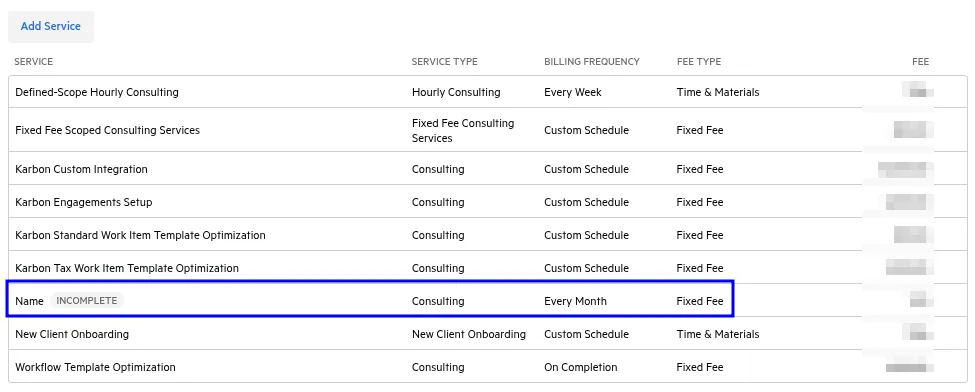
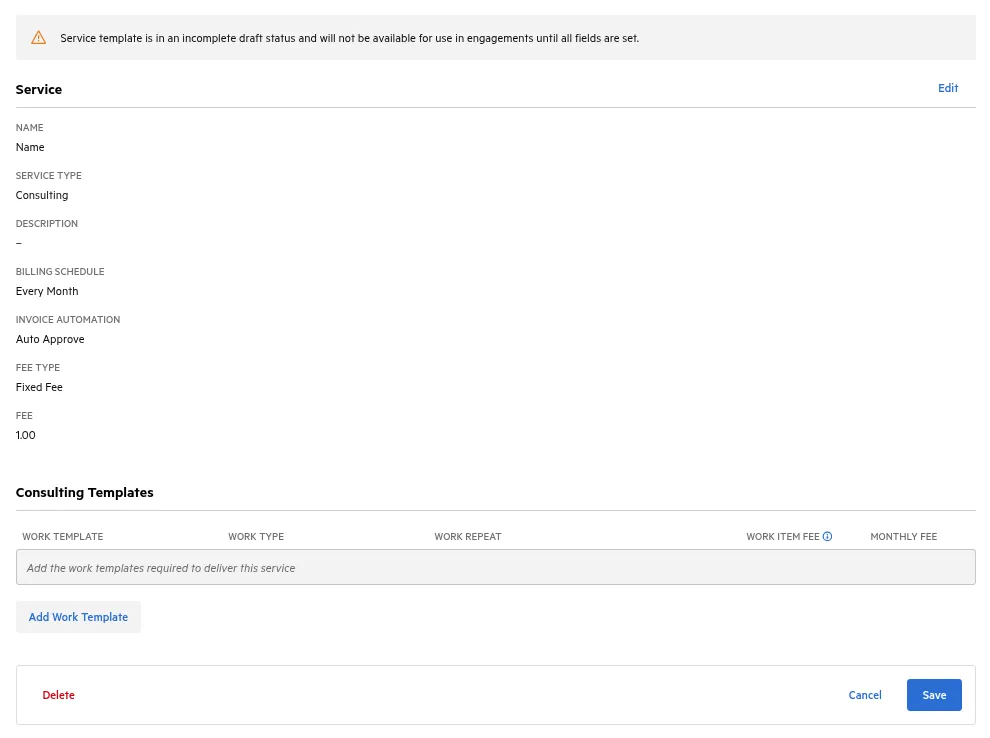
What it changes day to day
Service templates usually stall on language or not having the Service Types and Work Types connected properly. You get halfway through, need to add a work type to the correct service type, or get pulled away. Until now you had two choices: put in wrong values and save it live, where someone might use it, or delete it and start over later. Now you can park it.
Related
Brooks and I talk through this one in the October episode. More from this release: the October release roundup. Source: Karbon release notes, October 26, 2026.
Max Ducharme ran an accounting firm for five years. In that time, revenue more than doubled, and average revenue per employee rose from $89,000 to $150,000. He taught himself Python to build the integrations the firm needed. Today he builds tools that solve the problems accounting firms face now. He is a Six Sigma Black Belt and co-hosts the Working Theory podcast.