Released! Navica Keys for Karbon: Keyboard Shortcuts for Triage
Navica Keys for Karbon is a free Chrome extension that gives each Triage action one key. Your right hand moves through the list, and your left hand files, clears, replies, and plans.
By Max Ducharme

Drive with both hands! You are far more productive using keyboard shortcuts, so I created an extension that adds keyboard shortcuts to Karbon for quickly processing your Triage.
At the firm I ran, some of my staff had a hard time clearing Triage. I taught them the three processing steps: Do Now, Do Later, and Delegate. I also asked each of them to process Triage all the way to zero at least once a day. Even with the steps, getting through Triage every day took time and a lot of clicking. Client information came in by email all the time. When someone saw an email but didn’t file it to the right timeline and @mention the right person, the email moved down Triage as new email came in and ended up on the second page.
We had a client that was traveling outside of the country and asked us to pay some bills for them while they were gone. We missed an important bill payment because it was buried in my staff’s Triage. The bill went out late, and everything worked out with the client. My staff worked hard, but it’s difficult to get all the way through Triage.
A morning Triage session is what makes the rest of Karbon work so well. When you have properly triaged your incoming communications, your timelines hold the full client history, you surface the most important items that need your immediate attention, and My Week holds your whole to-do list only when you feed it from Triage.
The morning session is also the part of Karbon that people find hardest to keep up. Each email takes a few clicks, and a full inbox turns those clicks into a lot of mouse travel.
I built Navica Keys for Karbon to make that session fast. It is a free Chrome extension that gives each Triage action one key. Your right hand moves through the list, and your left hand acts on each email.
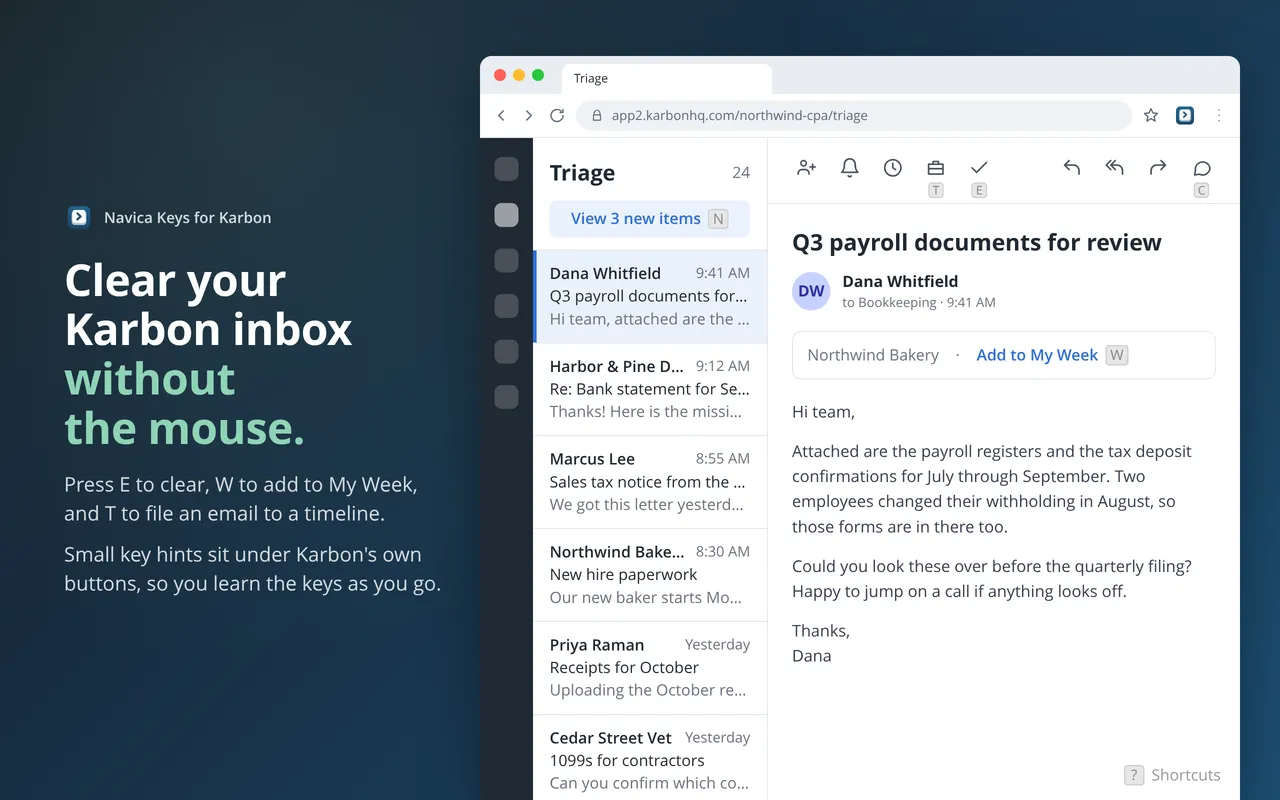
Right Hand Moves, Left Hand Acts
Open Triage and click the first email. From there, your hands stay on the keyboard.
Your right hand moves:
- J opens the next email.
- K opens the previous email.
Your left hand acts:
- T adds the email to a timeline.
- W adds the email to My Week.
- C adds a comment.
- R starts a Reply to All.
- E clears the email.
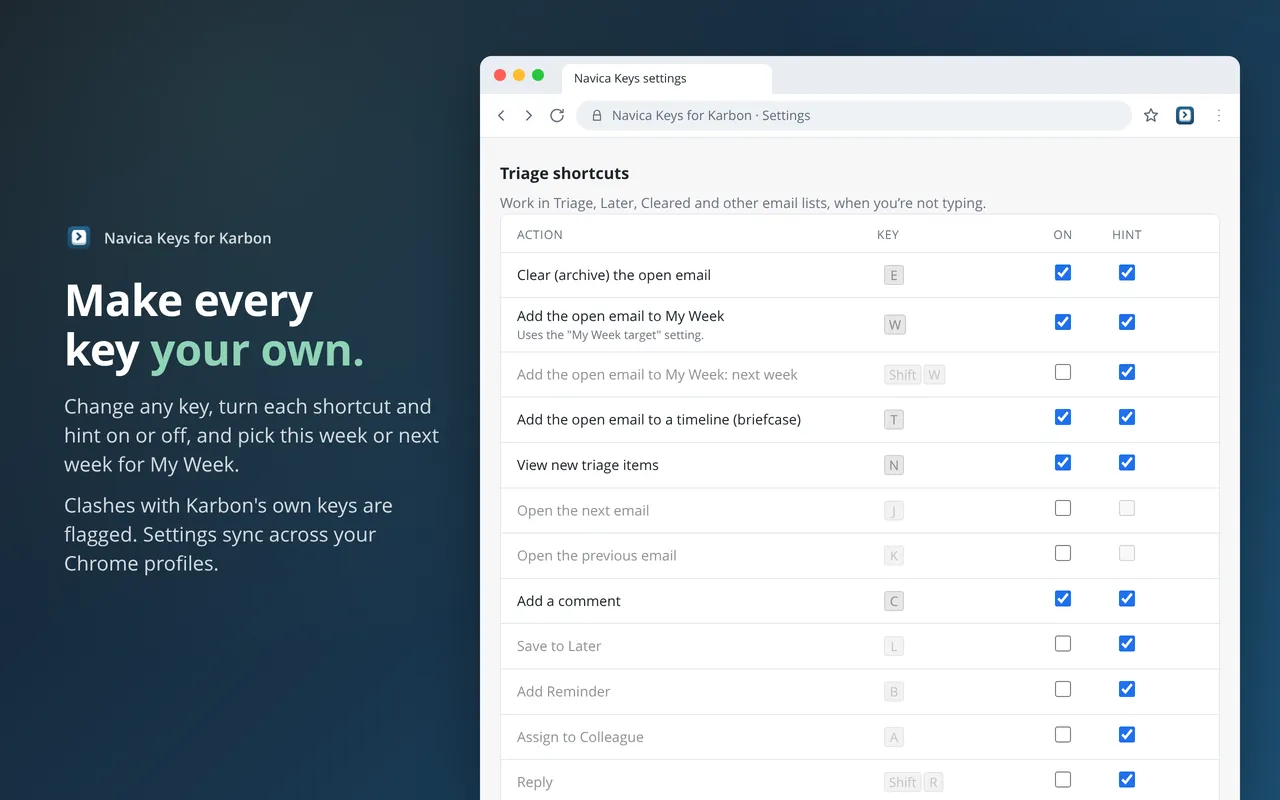
E, W, T, and C work as soon as you install the extension. J, K, and R are optional shortcuts, so open the extension’s settings first and switch on those three.
One Email, One Decision
File the email, decide what happens to it, and clear it.
File it first
Press T. Add to Timeline opens with the search ready. Type the name of the work item and press Ctrl Enter to add it. Alt Shift W and Alt Shift C switch between the Work and Contact tabs without leaving the search box.
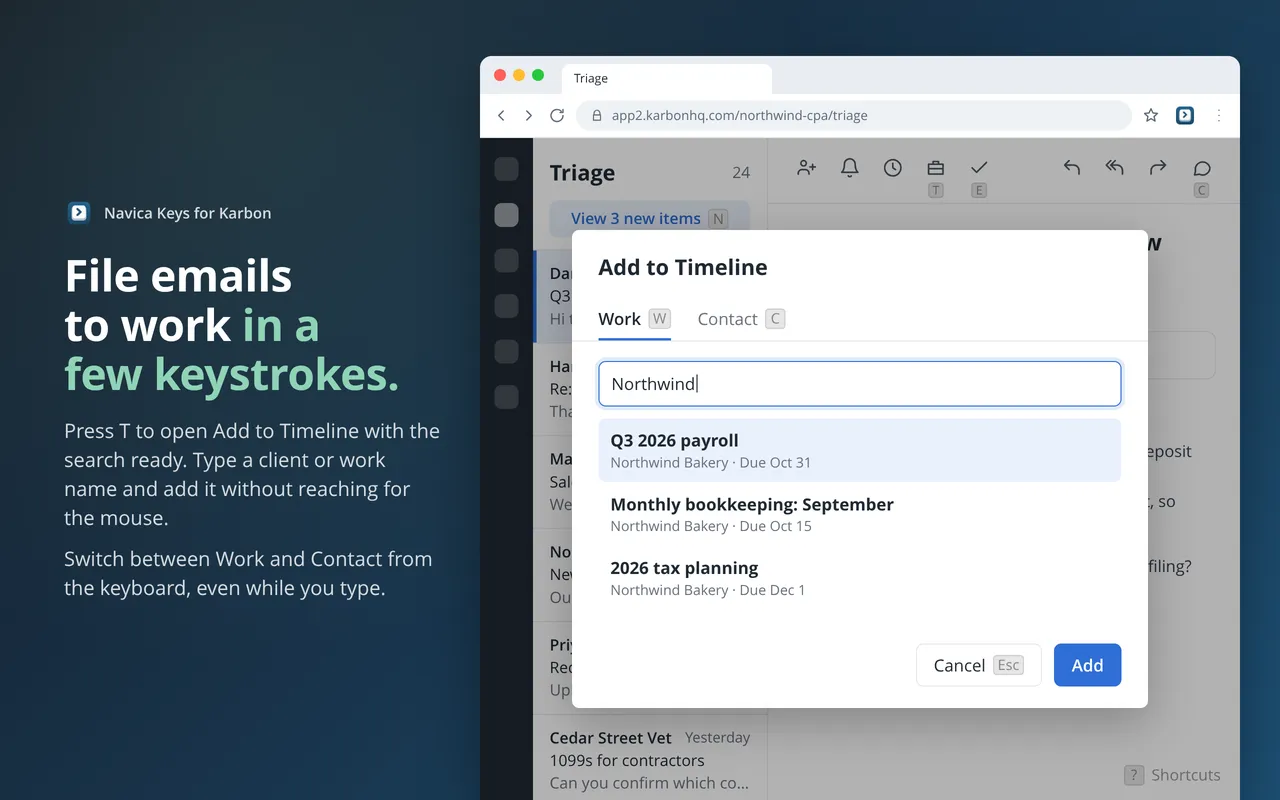
File the email before you do anything else. A year from now, the timeline is where you will look for the history of this conversation.
Then decide
Every email gets one of three answers.
- Do Now. A one-line reply or an urgent item gets handled on the spot. Press R, write the reply, and send it with Ctrl Enter, which is Karbon’s own send key (Cmd Enter on a Mac).
- Do Later. The email is yours, and it can wait. Press W to add it to My Week, then press E to clear it. You will decide its priority there, against everything else on your list.
- Delegate. The email belongs to someone else. Press C, @mention that person in the comment, and it lands in their Triage.
Then clear
Press E. Karbon clears the email and moves on to the next one.
The Keys Teach Themselves
You do not have to memorize any of this before you start. Small key hints sit under Karbon’s own buttons, so you learn each key by using it. You can turn the hints off once you know the keys.
Press ? at any time to see every shortcut, including the ones built into Karbon. You can also change any key in the settings. The settings page warns you when two shortcuts share a key or when a key would replace one of Karbon’s.
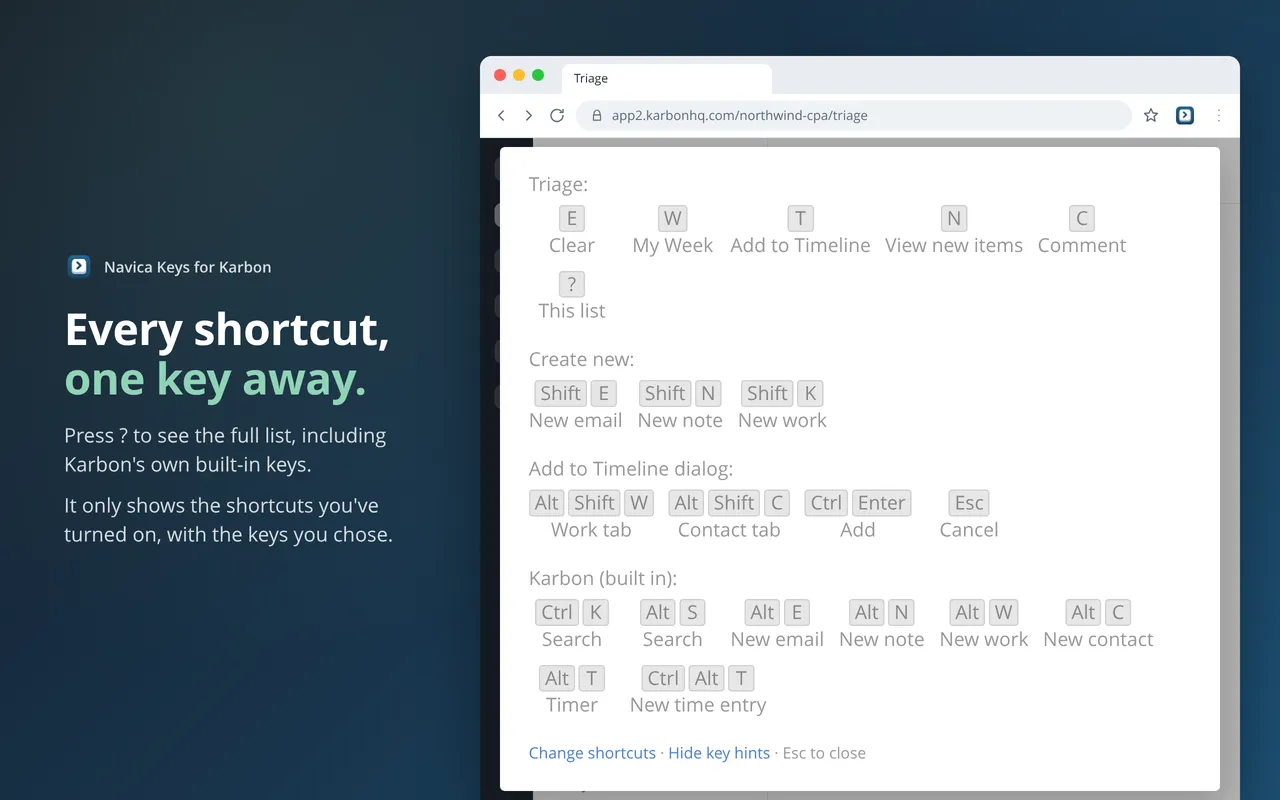
Three more keys work from any page in Karbon: Shift E starts a new email, Shift N a new note, and Shift K a new work item.
The shortcuts never fire while you are typing in a field. A capital letter in a comment stays a capital letter.
What It Doesn’t Do
It doesn’t cost anything. There is no account to create, and there is no API key or Karbon login to set up. It works with the Karbon tab you already have open.
It doesn’t collect anything. Each shortcut presses Karbon’s own button, exactly as a click would. The extension makes no requests of its own, keeps no record of your emails, and has no analytics and no servers. The privacy policy has the details.
It isn’t a Karbon product. Navica makes it, and Karbon doesn’t make or support it.
Try It
See how Navica Keys works, or install it from the Chrome Web Store. It runs in Chrome on Mac, Windows, Linux, and ChromeOS.
It is in beta. If a key does something you did not expect, the support email is on the tool page, and I read every message.
Tomorrow morning, block 15 minutes, open Triage, and process it with both hands on the keyboard.
Max Ducharme ran an accounting firm for five years. In that time, revenue more than doubled, and average revenue per employee rose from $89,000 to $150,000. He taught himself Python to build the integrations the firm needed. Today he builds tools that solve the problems accounting firms face now. He is a Six Sigma Black Belt and co-hosts the Working Theory podcast.